

Extract Audio from YouTube Videos
Just want the audio? Paste a YouTube link and we'll give you an MP3 file. Great for music, podcasts, lectures, or anything you want to listen to without the video. Works on any device, no software needed.
How to Convert YouTube to MP3
Just three quick steps:
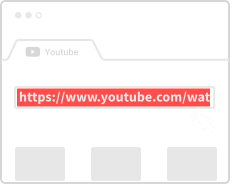
Copy the YouTube Link
Find your video on YouTube and copy the URL from the address bar.
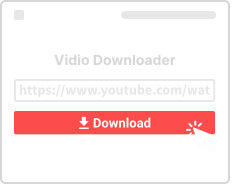
Paste Here and Convert
Drop the link in the box above and click Convert.
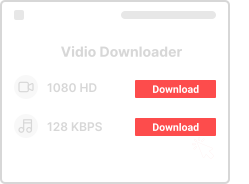
Download the MP3
Pick your audio quality (128kbps to 320kbps) and save the file.
Why Use This MP3 Converter
Here's what you get:

100% Free
No hidden fees. Convert as many videos as you want.

Works Anywhere
Phone, tablet, laptop – any device with a browser.

High Quality Audio
Get up to 320kbps MP3 files – sounds great on any speakers.

Quick and Easy
Paste link, click convert, download. Done in seconds.

No Account Needed
We don't ask for your email or any signups. Just use it.

Browser Only
No app or extension to install. Everything runs right here.
MP3 Converter Questions
- How does this work?
- Paste a YouTube link, click Convert, pick your quality, and download the MP3. Simple as that.
- Is it free?
- Yes, completely free. No hidden costs.
- Can I convert long videos?
- Yes, videos of any length work – including hour-long lectures or podcasts.
- Is this legal?
- For personal use with copyright-free content, yes. Don't redistribute content you don't own.
- Do I need to install anything?
- Nope. It all works in your browser – no apps, no plugins.
More YouTube Tools
Need video instead of audio? Try our other tools:
About YouTube to MP3 Conversion
MP3 is the world's most popular audio format, and YouTube is filled with music, podcasts, and audio content worth keeping. Our YouTube to MP3 Converter extracts the audio track from any YouTube video and saves it as a high-quality MP3 file.
Perfect for Music Lovers
Whether it's your favorite song, a live concert recording, or a remix that's only available on YouTube, our converter helps you save the audio for offline listening. MP3 files work on every device, music player, and car stereo.
Great for Podcasts and Lectures
YouTube hosts countless podcasts, audiobooks, and educational lectures. Converting to MP3 lets you download these for your commute, workout, or any time you want to listen without watching. Audio-only files are much smaller than video, saving storage space on your device.
Audio Quality Options
We offer multiple quality levels from 128kbps (smaller files) to 320kbps (highest quality). For music, 256kbps or 320kbps is recommended. For spoken content like podcasts, 128kbps works great and keeps file sizes smaller.
Need the Video Too?
If you want both video and audio, check out our YouTube to MP4 Converter or our main YouTube Video Downloader for full format selection.