

Convert YouTube Videos to MP4
Need an MP4 file from YouTube? Just paste the link and download in the quality you want. Works on any phone, tablet, or computer – no apps to install.
How to Download as MP4
Takes about 10 seconds:
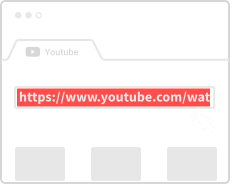
Copy the Link
Go to YouTube, find your video, and copy the URL.
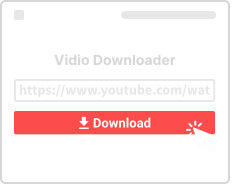
Paste and Convert
Drop the link in the box above and click Convert.
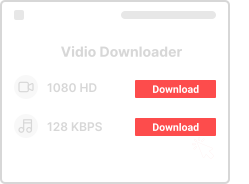
Download MP4
Pick 720p, 1080p, or whatever quality you want, then save it.
Why Use This MP4 Converter
Here's what you get:

Totally Free
No fees, no limits. Convert as many videos as you want.

Any Device
Works on phone, tablet, laptop – anything with a browser.

HD Quality
Choose 720p, 1080p, or higher when available.

Fast and Simple
Paste link, click convert, download. That's it.

No Signup
We don't ask for email or accounts. Just use it.

Browser Based
No apps or extensions to install.
MP4 Converter Questions
- Is this free?
- Yes, 100% free. No hidden costs or premium tiers.
- Can I download hour-long videos?
- Yes, any length works.
- Is this legal?
- For personal use with copyright-free content, yes. Don't redistribute content you don't own.
- Will there be watermarks or ads in the video?
- No. The MP4 is clean – exactly what was on YouTube, nothing added.
More YouTube Tools
Need different formats or features? Try our other tools:
About YouTube to MP4 Conversion
MP4 is the most versatile and widely-supported video format in the world. It works on virtually every device, media player, and editing software. Our YouTube to MP4 Converter makes it easy to download any YouTube video in this universal format.
Why Choose MP4?
MP4 (MPEG-4 Part 14) is a container format that efficiently stores video, audio, and even subtitles. It's supported by Windows, macOS, Linux, iOS, Android, smart TVs, and gaming consoles. When in doubt, MP4 is always a safe choice for maximum compatibility.
Quality Options
We offer multiple quality levels for MP4 downloads, from 360p (small file, lower quality) up to 1080p Full HD (larger file, sharp quality). Choose based on your needs – 720p is a great balance for most uses, while 1080p is ideal for larger screens.
Video and Audio Together
Unlike some downloaders that separate video and audio, our MP4 downloads include both tracks merged together. You get a complete, ready-to-play file without needing to combine anything yourself.
Need Audio Only?
If you're downloading a music video or podcast and only need the audio track, consider our YouTube to MP3 Converter instead. It extracts high-quality audio in a much smaller file size.