

Save Instagram Videos Offline
Love a video on Instagram but can't save it? We've got you. Just grab the link, paste it here, and download the video to your phone or computer. No app downloads, no login required.
How to Download Instagram Videos
Three steps, takes about 15 seconds:
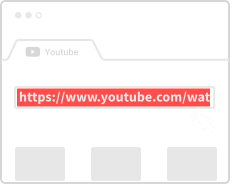
Copy the Video Link
Tap the three dots on any Instagram video and select "Copy link."
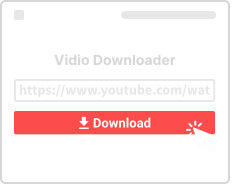
Paste It Here
Drop the link in the box above and hit the download button.
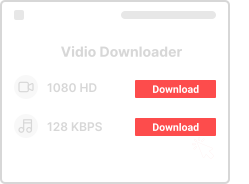
Save the Video
Pick your quality and save it straight to your device.
Why Use This Instagram Downloader
Here's what you get:

100% Free
No fees, no limits. Download as many Instagram videos as you want.

Any Device
Works on your phone, tablet, or computer – iOS, Android, Windows, Mac.

Full Quality
We keep the original resolution – no compression, no watermarks.

Quick and Simple
Paste link, click download, done. No complicated steps.

No Signup
We don't ask for your email or any personal info. Just use it.

Browser Only
No app to install. Everything works right here in your browser.
Instagram Download Questions
- Is this safe?
- Yes. We don't store your videos or track what you download. The connection is encrypted via HTTPS.
- Can I use this on my phone?
- Yes! Open this page in your phone's browser, paste the Instagram link, and download straight to your camera roll.
- Is there a download limit?
- No limits. Download as many videos as you like.
- What about private accounts?
- We can only download videos from public accounts. Private videos aren't accessible to our tool.
- Is downloading allowed?
- It's fine for personal use. Just don't repost someone else's content without permission.
More Video Downloaders
Download videos from other platforms with our specialized tools:
About Instagram Video Downloads
Instagram has evolved from a simple photo-sharing app into a comprehensive video platform. With features like Instagram Video, IGTV, Stories, and Reels, there's more video content than ever. Our Instagram Video Downloader helps you save any of this content for offline viewing.
Types of Instagram Content We Support
Our downloader works with all types of Instagram video content from public accounts. This includes regular video posts in your feed, IGTV long-form videos, Instagram Stories (before they disappear after 24 hours), and carousel posts that contain videos. For Instagram Reels, we have a dedicated tool optimized for short-form vertical videos.
Video Quality and Formats
Instagram videos are typically saved in MP4 format, which plays on virtually any device. Quality depends on the original upload – we always provide the highest quality version available. Most Instagram videos are optimized for mobile viewing, so they're perfect for watching on phones and tablets.
Downloading Stories Before They Disappear
Instagram Stories vanish after 24 hours, but you can save them before they're gone. Simply view the story, copy its link (or the profile link), and paste it into our downloader. This is great for saving memories, tutorials, or announcements you want to reference later.
Privacy and Public Accounts
Our tool only works with public Instagram accounts. If an account is set to private, we cannot access their content. This is by design – we respect user privacy settings. To download from a private account, you would need to be an approved follower and use Instagram's built-in save feature instead.