

Download YouTube Videos for Offline Viewing
Want to watch a YouTube video later without Wi-Fi? Just paste the link here and download it in the quality you want – 720p, 1080p, or even 4K when available. Works on any device, no software needed.
How to Download YouTube Videos
It takes about 10 seconds:
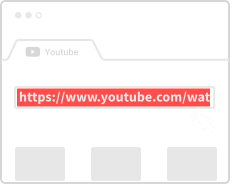
Grab the Link
Go to YouTube, find your video, and copy the URL from the address bar.
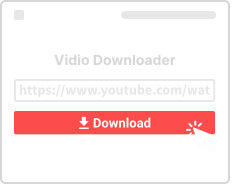
Paste It Here
Drop the link in the box above and click Download.
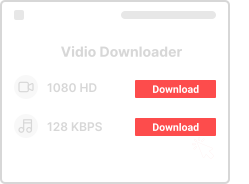
Pick Quality and Save
Choose 720p, 1080p, or whatever quality you want, then save it to your device.
Why Use This YouTube Downloader
Here's what makes it worth using:

Completely Free
No hidden charges. Download as many videos as you want.

Works on All Devices
Phone, tablet, laptop, desktop – if you have a browser, you can use this.

Multiple Formats
Get MP4 video, or just the audio as MP3 – your choice.

Fast and Easy
Paste link, click download. That's really all there is.

No Account Needed
We don't ask for your email or any signup. Just use it.

Browser Only
No app or extension to install. Everything runs in your browser.
YouTube Download Questions
- Is this legal?
- For personal use and copyright-free content, yes. Don't repost other people's content without permission.
- Is it free?
- Yes, 100% free. No premium tier, no hidden costs.
- How does it work?
- Copy the YouTube URL, paste it here, pick a quality, and download. Takes about 10 seconds.
- Do I need to sign up?
- Nope. No account, no email, no personal info required.
More YouTube Tools
Check out our other YouTube tools for specific needs:
About YouTube Video Downloads
YouTube is the world's largest video platform, hosting everything from music videos and tutorials to documentaries and vlogs. With billions of videos available, there's always something worth saving for offline viewing. Our YouTube Video Downloader makes it easy to save any public video.
Quality Options
We support multiple quality levels from 360p for smaller files up to 1080p Full HD for the best viewing experience. When you paste a YouTube link, we'll show all available quality options for that specific video. Higher quality means larger files, so choose based on your storage and viewing needs.
Format Choices
YouTube videos can be downloaded in several formats. MP4 is the most popular – it's compatible with virtually every device and media player. We also offer WebM for smaller file sizes and 3GP for older mobile devices. If you only need the audio, try our YouTube to MP3 Converter.
YouTube Shorts and Playlists
Beyond regular videos, we also support YouTube Shorts (vertical short-form videos) and individual videos from playlists. For Shorts specifically, check out our dedicated YouTube Shorts Downloader optimized for that format.
Thumbnails Too
Need to save a video's cover image? Our YouTube Thumbnail Downloader lets you save video thumbnails in high resolution – perfect for presentations, references, or creative projects.